AI has changed the IT market and the demand for skilled Software & AI engineers will constantly rise. Lead the race.Explore our AI aligned courses ↗
APPLIED AI ENGINEERING

AI Forward Deployed Engineer
Build. Integrate. Deploy.

Put AI to work where it matters. Turn customer needs into working software, connect LLMs, retrieval and agents to real systems, and ship AI features people rely on.

Intermediate Classroom & Live
  • LLMs, RAG & agents
  • Production AI workflows
  • Customer-facing delivery
ENQUIRE ABOUT THE COURSE

Your next chapter
starts here.

Tell us a little about yourself.

I’m a

YOUR STARTING POINTBasic programming
YOUR ROADMAP76 learning modules
COURSE DURATION6–8 Months
YOUR LEARNING MODEClassroom or live
THE ROLE BETWEEN AI AND THE CUSTOMER

Understand the need.
Deploy the solution.

Forward deployed engineers sit where AI meets the real world. Learn to listen to a problem, design an AI-powered answer, and own it all the way into production.

Know how to code? Ready to build with AI.

For students and working professionals comfortable with programming basics who want to build, integrate and deploy AI-powered applications.

Translate the need

Turn user and business problems into clear technical requirements and a scope you can deliver.

Integrate AI into systems

Build backend APIs, connect databases, and wire LLMs, retrieval and agents into applications.

Ship and iterate

Evaluate, deploy and monitor AI workflows, then improve them based on real feedback.

YOUR LEARNING ROADMAP

One concept leads
to the next breakthrough.

Move from backend foundations to LLM integration, retrieval, agents and production delivery. Each module adds a layer you will use when deploying AI for real users.

THE FORWARD DEPLOYED MINDSET

The model is the start. Deployment is the job.

Calling a model is easy. Making it reliable inside a customer’s systems takes engineering: clear requirements, grounded data, safe tool use, evaluation and monitoring. Learn to deliver AI that keeps working after the demo.

  • Start from the problem
  • Measure, don’t guess
  • Own it in production
Your complete learning roadmap.

Keep the module breakdown, practice assignments and learning outcomes.

Download syllabus

Suggested curriculum. Confirm the current batch syllabus, module allocations and total duration with an advisor.

Track 1 · Modules 01–21 Backend Engineering
01 JavaScript Programming Fundamentals
  • Introduction to JavaScript
  • Variables
  • Data Types
  • Operators
  • Conditional Statements
  • Loops
Put it into practice

Write small programs using variables, conditions and loops.

What you’ll take away

Write clear, correct JavaScript fundamentals.

Suggested allocation: 3–4 sessions
02 JavaScript Functions and Core Concepts
  • Functions
  • Parameters
  • Return Values
  • Scope
  • Closures
  • Arrays
  • Objects
  • Common Array Methods
Put it into practice

Solve data problems using functions and array methods.

What you’ll take away

Structure logic into reusable functions.

Suggested allocation: 3–4 sessions
03 Modern JavaScript and ES6+ Features
  • Destructuring
  • Spread Operators
  • Modules
  • Classes
  • Template Literals
  • Optional Chaining
Put it into practice

Refactor older code into modern ES6+ modules.

What you’ll take away

Write concise, modern JavaScript.

Suggested allocation: 3–4 sessions
04 Asynchronous JavaScript and Error Handling
  • Callbacks
  • Promises
  • Async/Await
  • Asynchronous Programming
  • Try/Catch
  • Custom Errors
  • Validation
Put it into practice

Build an async data loader with proper error handling.

What you’ll take away

Handle async flows and failures safely.

Suggested allocation: 3–4 sessions
05 Introduction to Node.js
  • Node.js Runtime
  • Server-Side JavaScript
  • Event Loop
  • Non-Blocking Execution
  • Asynchronous Operations
Put it into practice

Build a small command-line tool with Node.js.

What you’ll take away

Explain how Node.js runs non-blocking code.

Suggested allocation: 3–4 sessions
06 Node.js Core Modules
  • File System
  • Path Module
  • Events
  • Streams
  • Buffers
  • HTTP Module
Put it into practice

Build a file-processing script and a basic HTTP server.

What you’ll take away

Use Node.js core modules confidently.

Suggested allocation: 3–4 sessions
07 Express.js Fundamentals and Routing
  • Introduction to Express.js
  • Backend Application Development
  • Routing
  • Controllers
  • Business Logic
Put it into practice

Build an Express app with routes and controllers.

What you’ll take away

Structure backend applications cleanly.

Suggested allocation: 3–4 sessions
08 Express.js Middleware and API Development
  • Authentication Middleware
  • Validation Middleware
  • Logging
  • Error Handling
  • REST API Development
Put it into practice

Add validation, logging and error middleware to an API.

What you’ll take away

Build robust REST APIs with middleware.

Suggested allocation: 3–4 sessions
09 REST API Design and Documentation
  • REST API Architecture
  • API Design
  • Swagger
  • OpenAPI
  • API Testing
  • Documentation
Put it into practice

Design, test and document an API with OpenAPI.

What you’ll take away

Design APIs others can understand and use.

Suggested allocation: 3–4 sessions
10 Introduction to Databases and Data Modelling
  • Relational and Non-Relational Databases
  • Database Design
  • Data Modelling
  • Database Relationships
Put it into practice

Model the data for a real application.

What you’ll take away

Choose and design suitable data models.

Suggested allocation: 3–4 sessions
11 MongoDB and Mongoose
  • MongoDB
  • Mongoose
  • Schemas
  • Models
  • Validations
  • Database Relationships
Put it into practice

Build a MongoDB-backed API with validated schemas.

What you’ll take away

Work with document databases in Node.js.

Suggested allocation: 3–4 sessions
12 PostgreSQL and SQL
  • PostgreSQL
  • SQL Queries
  • Tables
  • Joins
  • Indexing
  • Relational Data
Put it into practice

Write queries and joins on a relational dataset.

What you’ll take away

Query and index relational data efficiently.

Suggested allocation: 3–4 sessions
13 User Authentication and Session Management
  • User Registration
  • Login
  • Logout
  • JWT Authentication
  • Refresh Tokens
  • Session Management
Put it into practice

Add JWT login with refresh tokens to an API.

What you’ll take away

Implement secure user authentication.

Suggested allocation: 3–4 sessions
14 OAuth and Role-Based Authorization
  • OAuth Authentication
  • Google Login
  • GitHub Login
  • Role-Based and Permission-Based Access Control
Put it into practice

Add social login and role-based access to an app.

What you’ll take away

Control who can do what in an application.

Suggested allocation: 3–4 sessions
15 Backend Security and Application Performance
  • Input Validation
  • Hashing
  • Rate Limiting
  • Secure Headers
  • Redis
  • Caching
Put it into practice

Harden an API and add Redis caching.

What you’ll take away

Build secure, fast backends.

Suggested allocation: 3–4 sessions
16 Background Jobs and Asynchronous Processing
  • Background Jobs
  • Queues
  • Asynchronous Emails
  • Notifications
  • Heavy Task Processing
Put it into practice

Move email and heavy tasks into a job queue.

What you’ll take away

Keep applications responsive with background work.

Suggested allocation: 3–4 sessions
17 Real-Time Application Development
  • WebSockets
  • Real-Time Communication
  • Chat Applications
  • Notifications
  • Live Updates
Put it into practice

Build a real-time chat with live notifications.

What you’ll take away

Add real-time features with WebSockets.

Suggested allocation: 3–4 sessions
18 Backend Testing and Debugging
  • Unit Testing
  • Integration Testing
  • API Testing
  • Debugging Backend Applications
Put it into practice

Write unit and integration tests for an API.

What you’ll take away

Test and debug backend code with confidence.

Suggested allocation: 3–4 sessions
19 Clean Architecture and Microservices
  • Clean Architecture
  • Design Patterns
  • Maintainable Code
  • Microservices
  • Inter-Service Communication
Put it into practice

Split an application into communicating services.

What you’ll take away

Design maintainable, modular backends.

Suggested allocation: 3–4 sessions
20 High-Level and Low-Level System Design
  • Scalable System Architecture
  • API Design
  • Database Design
  • Application Workflows
  • Reusable Classes
  • Modules
  • Components
Put it into practice

Design a scalable system from requirements to classes.

What you’ll take away

Reason about architecture at every level.

Suggested allocation: 3–4 sessions
21 Backend Application Deployment
  • Docker
  • Containerization
  • Deploying Backend Applications on Cloud Platforms
Put it into practice

Containerise and deploy a backend to the cloud.

What you’ll take away

Ship backend applications to production.

Suggested allocation: 3–4 sessions
Track 2 · Modules 22–46 Generative AI
22 Introduction to Artificial Intelligence
  • Overview of Artificial Intelligence
  • Generative AI
  • Discriminative Models
  • Generative Models
Put it into practice

Compare generative and discriminative models on examples.

What you’ll take away

Explain the landscape of modern AI.

Suggested allocation: 3–4 sessions
23 Mathematics for Artificial Intelligence
  • Probability
  • Statistics
  • Linear Algebra
  • Mathematical Concepts Used in AI
Put it into practice

Solve probability and linear algebra exercises in Python.

What you’ll take away

Understand the maths behind AI models.

Suggested allocation: 3–4 sessions
24 Gradient Descent and Optimization
  • Introduction to Gradient Descent
  • Optimization Techniques
  • Model Optimization
Put it into practice

Implement gradient descent from scratch.

What you’ll take away

Explain how models learn through optimisation.

Suggested allocation: 3–4 sessions
25 Neural Networks Fundamentals
  • Introduction to Neural Networks
  • Working of Neural Networks
  • Feedforward Neural Networks
Put it into practice

Build and train a feedforward neural network.

What you’ll take away

Understand how neural networks learn.

Suggested allocation: 3–4 sessions
26 Neural Network Architectures
  • Recurrent Neural Networks (RNNs)
  • Convolutional Neural Networks (CNNs)
  • Neural Network Architectures
Put it into practice

Train a CNN on images and an RNN on sequences.

What you’ll take away

Choose architectures for different data types.

Suggested allocation: 3–4 sessions
27 Generative Adversarial Networks (GANs)
  • Introduction to GANs
  • Generative Adversarial Networks
  • Their Working
Put it into practice

Train a simple GAN to generate images.

What you’ll take away

Explain how adversarial training works.

Suggested allocation: 3–4 sessions
28 Advanced GAN Architectures
  • Deep Convolutional GANs (DCGAN)
  • StyleGAN
  • Their Architectures
Put it into practice

Generate higher-quality images with a DCGAN.

What you’ll take away

Compare advanced GAN architectures.

Suggested allocation: 3–4 sessions
29 Variational Autoencoders (VAEs)
  • Introduction to Variational Autoencoders
  • VAE Architecture
  • Probabilistic Data Generation
Put it into practice

Build a VAE that generates new samples.

What you’ll take away

Understand probabilistic generative models.

Suggested allocation: 3–4 sessions
30 Diffusion Models
  • Introduction to Diffusion Models
  • Denoising Diffusion Probabilistic Models (DDPMs)
  • Their Applications
Put it into practice

Run and explore a denoising diffusion model.

What you’ll take away

Explain how diffusion models generate data.

Suggested allocation: 3–4 sessions
31 Introduction to Transformers
  • Transformer Architecture
  • Attention Mechanism
  • Self-Attention
Put it into practice

Implement self-attention step by step.

What you’ll take away

Understand the core of transformer models.

Suggested allocation: 3–4 sessions
32 Advanced Transformer Concepts
  • Positional Encoding
  • Encoder-Decoder Architecture
  • Transformer-Based Language Models
Put it into practice

Build a small encoder-decoder transformer.

What you’ll take away

Explain how full transformer models work.

Suggested allocation: 3–4 sessions
33 Introduction to Large Language Models
  • Large Language Models
  • GPT
  • BERT
  • Popular Language Model Architectures
Put it into practice

Compare GPT and BERT on common NLP tasks.

What you’ll take away

Choose the right LLM architecture for a task.

Suggested allocation: 3–4 sessions
34 LLM Pretraining Techniques
  • Pretraining Approaches
  • Masked Language Modeling (MLM)
  • Causal Language Modeling (CLM)
Put it into practice

Pretrain a tiny language model on sample text.

What you’ll take away

Explain how LLMs are pretrained.

Suggested allocation: 3–4 sessions
35 LLM Fine-Tuning
  • Fine-Tuning Approaches
  • Task-Specific Fine-Tuning
  • Text Summarization
  • Question Answering
Put it into practice

Fine-tune a model for summarisation or Q&A.

What you’ll take away

Adapt pretrained models to specific tasks.

Suggested allocation: 3–4 sessions
36 Introduction to Retrieval-Augmented Generation
  • RAG Fundamentals
  • RAG Architecture
  • Retrieval Pipeline
  • Integration with Large Language Models
Put it into practice

Build a basic RAG pipeline over documents.

What you’ll take away

Ground LLM answers in external data.

Suggested allocation: 3–4 sessions
37 Information Retrieval Systems
  • BM25
  • FAISS
  • Elasticsearch
  • Document Retrieval Systems
Put it into practice

Compare BM25 and vector search on one dataset.

What you’ll take away

Choose the right retrieval approach.

Suggested allocation: 3–4 sessions
38 Vector Databases and RAG Applications
  • Introduction to Vector Databases
  • Integration of Retrieval Systems with LLMs
  • Practical Applications of RAG
Put it into practice

Build a RAG app backed by a vector database.

What you’ll take away

Build production-style retrieval applications.

Suggested allocation: 3–4 sessions
39 Introduction to Multimodal AI
  • Multimodal Models
  • Vision and Text Models
  • CLIP
  • DALL-E
Put it into practice

Search images with text using CLIP.

What you’ll take away

Work with models that combine text and images.

Suggested allocation: 3–4 sessions
40 Introduction to LangChain
  • LangChain Fundamentals
  • Installation
  • Setup
  • Prompts
  • Memory
  • Chains
  • Agents
Put it into practice

Build a LangChain app with prompts, memory and chains.

What you’ll take away

Compose LLM applications with LangChain.

Suggested allocation: 3–4 sessions
41 Building RAG Applications with LangChain
  • LangChain RAG Pipelines
  • Retrieval Integration
  • Generating Responses Using External Knowledge Sources
Put it into practice

Build a LangChain RAG app over your own documents.

What you’ll take away

Build RAG applications quickly with LangChain.

Suggested allocation: 3–4 sessions
42 Knowledge-Aware Chatbot Development
  • Building Chatbots Using LLMs
  • External Data Sources
  • Custom Knowledge Bases
Put it into practice

Build a chatbot that answers from a custom knowledge base.

What you’ll take away

Ship chatbots grounded in real data.

Suggested allocation: 3–4 sessions
43 Domain-Specific LLM Fine-Tuning

Fine-Tuning Open-Source Language Models for Specific Domains such as Finance and Healthcare

Put it into practice

Fine-tune an open-source model on domain data.

What you’ll take away

Specialise LLMs for industry domains.

Suggested allocation: 3–4 sessions
44 Text-to-Image Generation

Building Text-to-Image Generation Systems Using DALL-E and Stable Diffusion

Put it into practice

Build a text-to-image generator.

What you’ll take away

Integrate image generation into applications.

Suggested allocation: 3–4 sessions
45 Prompt Engineering and Model Optimization
  • Prompt Engineering Techniques
  • Prompt Optimization
  • Improving Model Outputs
Put it into practice

Iterate on prompts and measure output quality.

What you’ll take away

Get reliable, high-quality model outputs.

Suggested allocation: 3–4 sessions
46 Introduction to AI Agents
  • AI Agents
  • Role of AI Agents
  • Their Practical Applications Across Different Industries
Put it into practice

Build a simple agent that uses a tool.

What you’ll take away

Explain where AI agents add value.

Suggested allocation: 3–4 sessions
Track 3 · Modules 47–70 DevOps & Cloud Engineering
47 Linux Fundamentals
  • Introduction to Linux
  • Linux File System
  • Essential Commands
  • File Permissions
  • Process Management
Put it into practice

Manage files, permissions and processes on a Linux server.

What you’ll take away

Work confidently on the Linux command line.

Suggested allocation: 3–4 sessions
48 Shell Scripting and Automation
  • Bash Scripting
  • Variables
  • Conditions
  • Loops
  • Functions
  • Automation Scripts
Put it into practice

Automate a routine server task with a Bash script.

What you’ll take away

Automate repetitive work with shell scripts.

Suggested allocation: 3–4 sessions
49 Git Fundamentals
  • Git Installation
  • Repository Setup
  • Git Add, Commit, Status and Log
  • Pull Requests & Git Workflows
Put it into practice

Track a project's history with Git.

What you’ll take away

Manage code changes with Git.

Suggested allocation: 3–4 sessions
50 GitHub and Collaborative Development
  • GitHub
  • Clone
  • Push
  • Pull
  • Branching
  • Pull Requests
  • Team Collaboration
Put it into practice

Collaborate on a shared repository with pull requests.

What you’ll take away

Work in teams using GitHub workflows.

Suggested allocation: 3–4 sessions
51 Introduction to Cloud Computing and AWS
  • Cloud Computing Concepts
  • AWS Account Setup
  • IAM Users
  • Roles
  • Permissions
  • Multi-Factor Authentication
Put it into practice

Set up a secure AWS account with IAM and MFA.

What you’ll take away

Understand cloud fundamentals and access control.

Suggested allocation: 3–4 sessions
52 AWS EC2 and S3
  • EC2 Instances
  • Security Groups
  • SSH Access
  • S3 Buckets
  • Static Website Hosting
Put it into practice

Launch an EC2 instance and host a site on S3.

What you’ll take away

Use core AWS compute and storage services.

Suggested allocation: 3–4 sessions
53 AWS Deployment Fundamentals
  • Creating IAM Users
  • Deploying Web Servers on EC2
  • Hosting Websites Using Amazon S3
Put it into practice

Deploy a web server on EC2 end to end.

What you’ll take away

Deploy applications on AWS.

Suggested allocation: 3–4 sessions
54 Introduction to Docker
  • Containers
  • Virtual Machines
  • Docker Installation
  • Docker Images
  • Containers
Put it into practice

Run applications in Docker containers.

What you’ll take away

Explain containers and when to use them.

Suggested allocation: 3–4 sessions
55 Dockerfile and Container Management
  • Dockerfile
  • Creating Custom Images
  • Image Tagging
  • Container Management
  • Volumes
  • Bind Mounts
Put it into practice

Write a Dockerfile for your own application.

What you’ll take away

Build and manage custom container images.

Suggested allocation: 3–4 sessions
56 Docker Networking and Docker Compose
  • Docker Networking
  • Port Mapping
  • Docker Compose
  • Services
  • Dependencies
  • Multi-Container Applications
Put it into practice

Run a multi-container app with Docker Compose.

What you’ll take away

Orchestrate multi-service applications locally.

Suggested allocation: 3–4 sessions
57 Introduction to CI/CD and Jenkins
  • Continuous Integration
  • Continuous Deployment
  • Jenkins Installation
  • Dashboard
  • Plugins
  • Jobs
  • Build Triggers
Put it into practice

Set up a Jenkins job that builds on every push.

What you’ll take away

Explain and set up CI/CD basics.

Suggested allocation: 3–4 sessions
58 Jenkins Pipelines and Automation
  • GitHub Integration
  • Jenkinsfile
  • Declarative Pipelines
  • Pipeline Stages
  • Steps
Put it into practice

Write a declarative Jenkins pipeline.

What you’ll take away

Automate builds with pipelines as code.

Suggested allocation: 3–4 sessions
59 Docker Integration with Jenkins
  • Building and Pushing Docker Images
  • Managing Credentials
  • Automating CI/CD Pipelines
Put it into practice

Build and push Docker images from Jenkins.

What you’ll take away

Automate container delivery pipelines.

Suggested allocation: 3–4 sessions
60 Introduction to Kubernetes
  • Kubernetes Architecture
  • Kubectl
  • Minikube
  • Pods
  • Deployments
Put it into practice

Run an application on a local Kubernetes cluster.

What you’ll take away

Understand Kubernetes building blocks.

Suggested allocation: 3–4 sessions
61 Kubernetes Deployment and Scaling
  • Deployments
  • Scaling Applications
  • Rolling Updates
Put it into practice

Scale an app and roll out an update with zero downtime.

What you’ll take away

Scale and update applications safely.

Suggested allocation: 3–4 sessions
62 Kubernetes Services and Networking
  • ClusterIP
  • NodePort
  • LoadBalancer
  • Service Discovery
Put it into practice

Expose an application with Kubernetes services.

What you’ll take away

Connect and expose services in a cluster.

Suggested allocation: 3–4 sessions
63 Kubernetes Configuration and Storage
  • ConfigMaps
  • Secrets
  • Environment Variables
  • Persistent Volumes
  • Persistent Volume Claims
Put it into practice

Configure an app with ConfigMaps, Secrets and volumes.

What you’ll take away

Manage configuration and persistent data.

Suggested allocation: 3–4 sessions
64 Kubernetes Monitoring and Operations
  • Kubernetes Logs
  • Metrics
  • Storage
  • Application Configuration
Put it into practice

Inspect logs and metrics to diagnose a failing pod.

What you’ll take away

Operate and troubleshoot Kubernetes workloads.

Suggested allocation: 3–4 sessions
65 AWS Elastic Container Registry (ECR)
  • Introduction to AWS ECR
  • Creating ECR Repositories
  • Pushing Docker Images
Put it into practice

Push your images to a private ECR repository.

What you’ll take away

Manage container images on AWS.

Suggested allocation: 3–4 sessions
66 AWS Elastic Kubernetes Service (EKS)
  • Introduction to Amazon EKS
  • Creating EKS Clusters
  • Connecting with Kubectl
  • Deploying Containerized Applications
Put it into practice

Deploy a containerised app to an EKS cluster.

What you’ll take away

Run Kubernetes workloads on AWS.

Suggested allocation: 3–4 sessions
67 End-to-End CI/CD Integration
  • Integrating Jenkins, Docker, GitHub and Kubernetes
  • GitHub Webhooks
  • Automated Builds
  • Deployments
Put it into practice

Build a pipeline from GitHub push to Kubernetes deploy.

What you’ll take away

Connect the full delivery toolchain.

Suggested allocation: 3–4 sessions
68 Continuous Delivery with Kubernetes
  • Implementing Continuous Delivery
  • Automated Deployment Pipelines
  • Kubernetes Deployment Automation
Put it into practice

Automate deployments to Kubernetes on every release.

What you’ll take away

Deliver changes continuously and safely.

Suggested allocation: 3–4 sessions
69 Monitoring with AWS CloudWatch
  • AWS CloudWatch
  • Kubernetes Logs
  • Application Metrics
  • Monitoring Deployed Applications
Put it into practice

Set up CloudWatch dashboards and alarms.

What you’ll take away

Monitor deployed applications on AWS.

Suggested allocation: 3–4 sessions
70 Prometheus and Grafana
  • Introduction to Prometheus
  • Grafana
  • Application Monitoring
  • Troubleshooting
Put it into practice

Build a Grafana dashboard from Prometheus metrics.

What you’ll take away

Monitor and troubleshoot applications.

Suggested allocation: 3–4 sessions
Track 4 · Modules 71–76 Industry Projects
71 Enterprise Knowledge-Aware Chatbot
  • Building an AI Chatbot Using LLMs
  • Company Documents
  • PDFs
  • Custom Knowledge Bases
  • Retrieval-Augmented Generation
  • Source-Backed Responses
Put it into practice

Build a chatbot that answers from company documents with sources.

What you’ll take away

Ship an enterprise-grade RAG assistant.

Suggested allocation: 3–4 sessions
72 Domain-Specific LLM Fine-Tuning

Fine-Tuning an Open-Source LLM for Domains such as Finance, Healthcare, Education or Recruitment

Put it into practice

Fine-tune and evaluate a model for one industry domain.

What you’ll take away

Deliver a specialised LLM for real users.

Suggested allocation: 3–4 sessions
73 AI Image Generation Platform

Building a Text-to-Image Generation Application Using DALL-E or Stable Diffusion

Put it into practice

Build and deploy a text-to-image application.

What you’ll take away

Ship a generative media product.

Suggested allocation: 3–4 sessions
74 AI-Powered Customer Support Agent
  • Building a Customer Support Agent
  • Answering Customer Queries
  • Knowledge Base Retrieval
  • Performing Actions Using External Tools
Put it into practice

Build an agent that resolves queries and takes actions.

What you’ll take away

Deploy agents that act through tools.

Suggested allocation: 3–4 sessions
75 Prompt Engineering & Evaluation Studio
  • Building a Platform for Prompt Testing
  • Comparing Model Responses
  • Prompt Optimization
  • Accuracy
  • Relevance
  • Structured Outputs
Put it into practice

Build a tool to test and compare prompts and models.

What you’ll take away

Evaluate LLM outputs systematically.

Suggested allocation: 3–4 sessions
76 AI Workflow Automation Orchestration Assistant
  • Building an AI Agent Using APIs
  • Databases
  • Business Tools
  • Multi-Step Workflow Orchestration Automations
Put it into practice

Build an agent that automates a multi-step business workflow.

What you’ll take away

Orchestrate agents across real business systems.

Suggested allocation: 3–4 sessions

Takeaway from the course

  • Python
  • SQL & PostgreSQL
  • REST APIs & FastAPI
  • React & TypeScript
  • Git & GitHub
  • LLMs
  • Prompt & Context Engineering
  • Structured Outputs
  • Embeddings & Vector Databases
  • RAG
  • AI Agents & Tool Calling
  • Multi-Agent Workflows
  • MCP
  • Enterprise Integrations (CRM, ERP, SaaS APIs)
  • Data Pipelines & ETL
  • Agent Evaluation
  • Guardrails & Human-in-the-Loop
  • Observability & Tracing
  • Docker & Cloud Deployment
  • AI Security & Data Privacy
  • Cost & Latency Optimization
  • AI-Assisted Coding
  • Requirements & Scoping
  • Customer Discovery & Demos
  • Projects
PUT THE IDEAS TO WORK

Make the concepts
something you can show.

Go beyond notebooks and demos. These project ideas combine APIs, models, data and deployment into systems you can build, test and walk a customer through.

PROJECT IDEA · GROUNDED ANSWERS

Document Q&A assistant

Index a company’s documents, retrieve the right passages, and answer questions with citations users can verify.

PythonRAGVector search
workflow_agent.py
Agent · 3 toolsAwaiting approval
PROJECT IDEA · AUTOMATE THE WORKFLOW

Workflow automation agent

Give an agent tools for a real business process, add guardrails, and keep a human in the loop for key decisions.

LLM APIsTool callingAgents
invoice_extractor.py
PDF → Fields → DatabaseValidated ✓
PROJECT IDEA · STRUCTURED OUTPUT

Document data extractor

Turn messy documents into structured, validated records and load them into a database through an API.

FastAPIStructured outputsSQL
eval_harness.py
Eval set · regression checkShip v2 ✓
PROJECT IDEA · MEASURE BEFORE YOU SHIP

LLM evaluation harness

Build a test set, score model outputs automatically, and catch regressions before a change reaches users.

EvalsObservabilityCI
deploy.yaml
Docker · Tracing · AlertsHealthy ✓
PROJECT IDEA · CUSTOMER CAPSTONE

End-to-end client deployment

Take a real-world brief from discovery to a deployed, monitored AI solution, then present it to stakeholders.

DockerDeploymentMonitoring

Explore what you could build.

Illustrative project previews. Your mentor will confirm project scope and review criteria for your batch.

HOW THE LEARNING COMES TOGETHER

Understand it.
Then make it your own.

A learning rhythm that connects the concept, the code and your reasoning. Here’s how you can turn each new topic into a skill.

THE CONCEPT

Understand the system

See how models, data and services fit together. Understand when an approach works and where it fails.

THE PRACTICE

Build and integrate

Ship working features through assignments. Debug real failures, test edge cases and measure quality.

THE REASONING

Present it like an FDE

Explain your design to a non-technical stakeholder, justify trade-offs in cost, latency and quality, and act on feedback.

Ask your advisor about assignment reviews, doubt support, recordings and mock interview inclusions for your chosen batch.

FIND YOUR LEARNING ENVIRONMENT

Same ambition.
Your way to learn.

Choose the environment that suits your routine. Our advisors can help you compare current batches, schedules and support.

LIVE ONLINE

Join from where you are.

Attend live sessions remotely. Find a batch whose timing and learning support work for your day.

Live sessions · learn remotely Explore live batches
UP TO100%SCHOLARSHIP
CAST · YOUR OPPORTUNITY TO LEARN

Your ambition. A scholarship to match.

Apply for CAST — the Coding Blocks Aptitude and Scholarship Test — and earn a scholarship of up to 100% on course fees.

Available for classroom and Live interactive courses, including Sampoorna. Awards are subject to the test’s eligibility and award terms.

Apply for CAST
YOUR CENTRE. YOUR SCHEDULE.

Your centre. Your batch.

Choose NSP or Noida, then find the weekday or weekend schedule that fits you.

AI FDE at NSP, Delhi
See the centre

A LITTLE CLARITY

Good questions.
Clear answers.

What is a forward deployed engineer?

A forward deployed engineer works closely with customers to understand their problems, then builds and deploys software, increasingly AI-powered, inside their real systems. The role combines engineering, product thinking and clear communication.

Do I need prior AI or machine learning experience?

No prior AI experience is expected. You should be comfortable with basic programming, ideally in Python. The suggested curriculum starts with backend foundations before moving into LLMs, retrieval and agents. Tell your advisor about your experience to check your starting point.

How do I choose between classroom and live learning?

Choose classroom learning if you prefer an in-person routine and peer interaction. Live learning lets you attend remotely. Ask about current AI FDE batch availability, timings and support before choosing your mode.

What will I practise and build?

The suggested roadmap includes practical assignments and project ideas such as a document Q&A assistant, a workflow automation agent and an end-to-end client deployment. Your mentor will confirm project scope, review criteria and the curriculum for your batch.

What are the course duration, timings and fees?

These depend on your selected batch and learning mode. Contact an advisor for the current start date, class schedule, total duration and fees.

Coding Blocks learner stories

Their next chapter started here.
Yours could be next.

Every career journey is different. These videos share a few stories from the Coding Blocks community.

2.5 lakh+learners
These four stories are just a glimpse.There are many more journeys across the Coding Blocks community.
View more success stories
YOUR NEXT CHAPTER STARTS WITH A FIRST STEP

Could this be you next?

Build your skills, make things that work, and prepare for the opportunities ahead.

Real people. Real milestones.

Our torchbearers.
Just getting started.

Meet Coding Blocks learners whose practice and persistence led to opportunities at leading companies.

Explore more success stories
Aditya

Aditya

Amazon
Iti Jain

Iti Jain

Twitter
Simarpreet Sikka

Simarpreet Sikka

Microsoft
Vishesh

Vishesh

Google
Jashpreet Malhotra

Jashpreet Malhotra

Walmart
Sahil Bansal

Sahil Bansal

Salesforce
Shervil Gupta

Shervil Gupta

Google
Ashanka Saha

Ashanka Saha

American Express
Sandipan Dutta

Sandipan Dutta

Amazon
Lavisha Malik

Lavisha Malik

Goldman Sachs
Manali Biswas

Manali Biswas

Microsoft
Mohit K.

Mohit K.

Amazon
CODING BLOCKS CERTIFICATE

Skills you’ve built.
An achievement to show.

Celebrate the work you put into building and deploying AI with a Coding Blocks certificate of completion. Add it to your portfolio and share a milestone in your learning journey. Ask your advisor about the completion criteria for your batch.
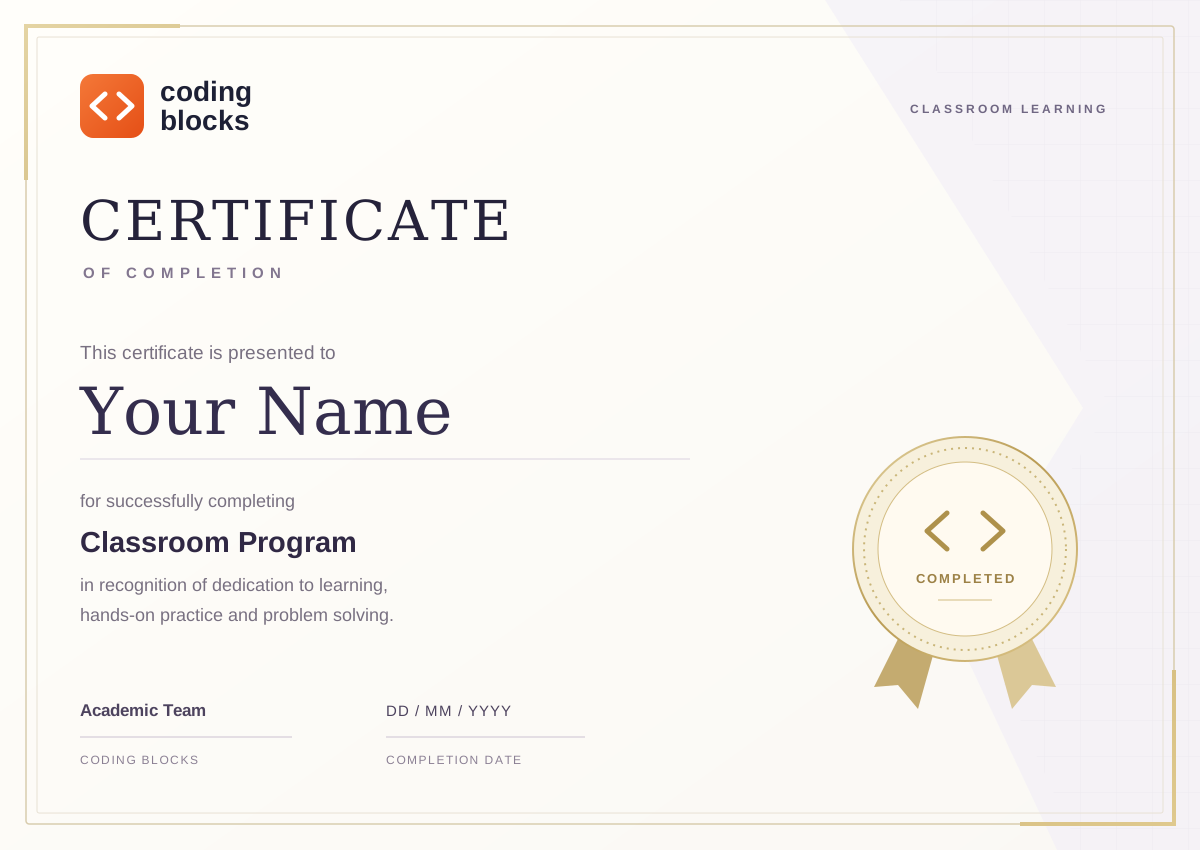
  • A record of your completed program
  • A meaningful addition to your portfolio
  • A milestone to share with your network
Explore the curriculum
Coding Blocks certificate of completion, with space for your name, classroom program and completion date.
Coding Blocks certificate of completion
OUR CLASSROOM CENTRES

Find your classroom.
Right here in Delhi NCR.

Learn with us in Noida or Netaji Subhash Place, Delhi. Find the centre that fits your commute, get directions and come meet the team.

The next wave of AI
needs people who can deploy it.

Let’s find an AI FDE batch that fits where you are and where you want to go.

YOUR AI FDE ROADMAP

Get the complete syllabus.

Share your details, verify your email, and download your curriculum.

  1. Your details
  2. Verify email
  3. Download
ONE MORE LOOK BEFORE YOU JOIN

Your classroom. Your batch.

Review your centre, schedule and mentor before continuing.

AI Forward Deployed Engineer

Start date
Class days
Class time
Mentor
Duration
Course fee
Questions? Talk to our team